- Products
- 123SCADA Platform
- Features
123SCADA Platform Features
The 123SCADA platform is a cloud-based supervisory control and data acquisition system purpose-built for water and wastewater utilities. Included with every Mission Communications RTU service plan, 123SCADA delivers real-time monitoring, alarm management, and over 50 pre-built reports through a secure web portal accessible from any device. There is no software to install, no servers to maintain, and no limit on the number of users who can access the system.
Live Data and Analytics
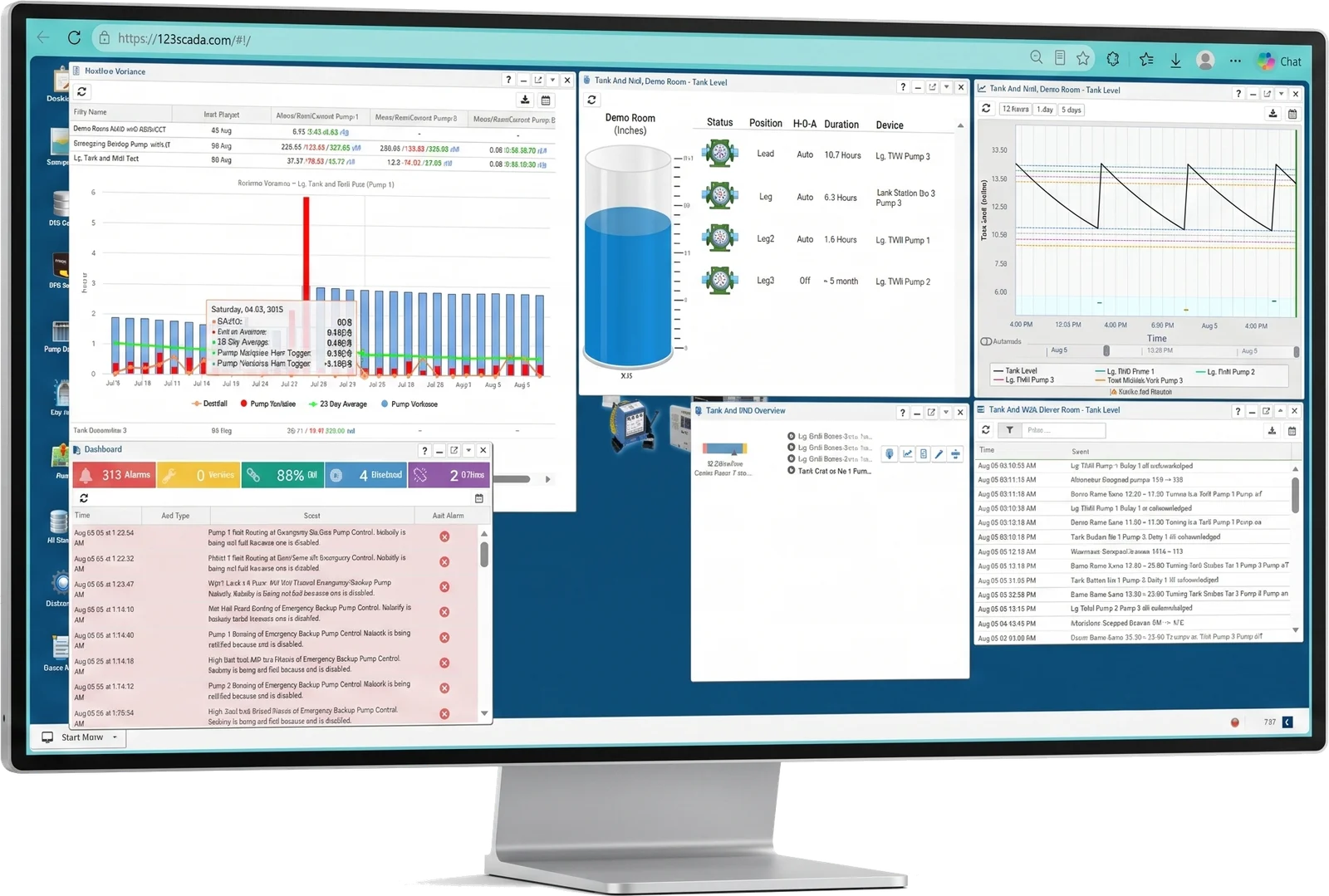
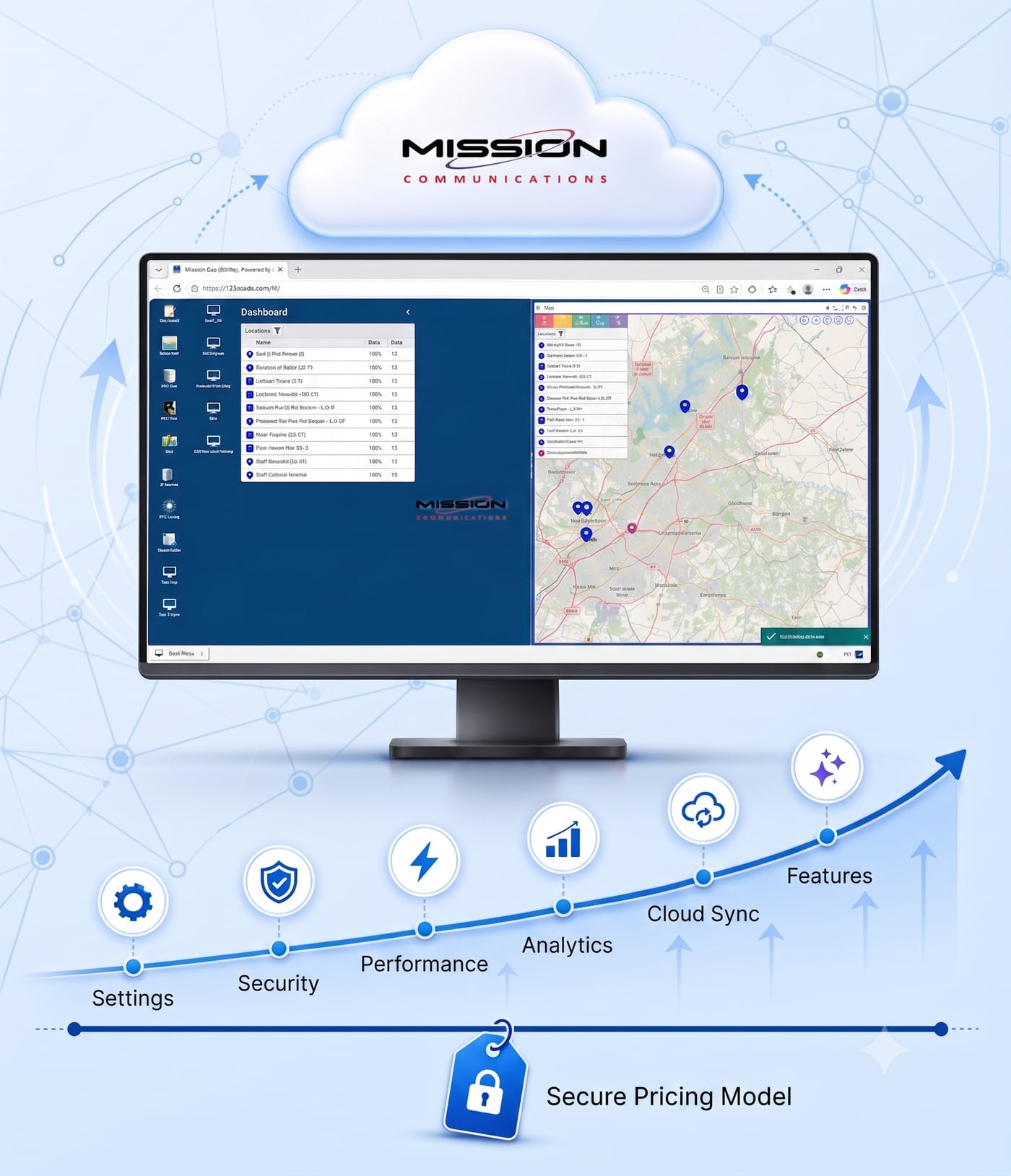
123SCADA provides instant visibility into field operations through a web-based interface designed to mimic the functionality of a traditional SCADA HMI. The platform uses state-of-the-art web technologies including live data feeds, infinite scrolling, responsive window sizing, and active graphics to turn complex telemetry data into clear, actionable visuals.
Upon login, the Map View displays all connected RTUs on a customizable, interactive map. Color-coded icons reflect alarm states, faults, and items of interest at a glance. Animated icons show pump running status in real time. Click any RTU icon to access levels, pressures, flows, and detailed device information instantly.
Customizable Desktops
Tailor your workspace to fit your workflow with fully customizable desktops. Organize data views, charts, graphs, and RTU status panels exactly how you want them.
The Supergraph analytical tool enables powerful multi-variable data comparisons, overlaying multiple sensor inputs on a single timeline to identify trends and correlations that single-variable charts would miss.
Real-Time Alarm Management
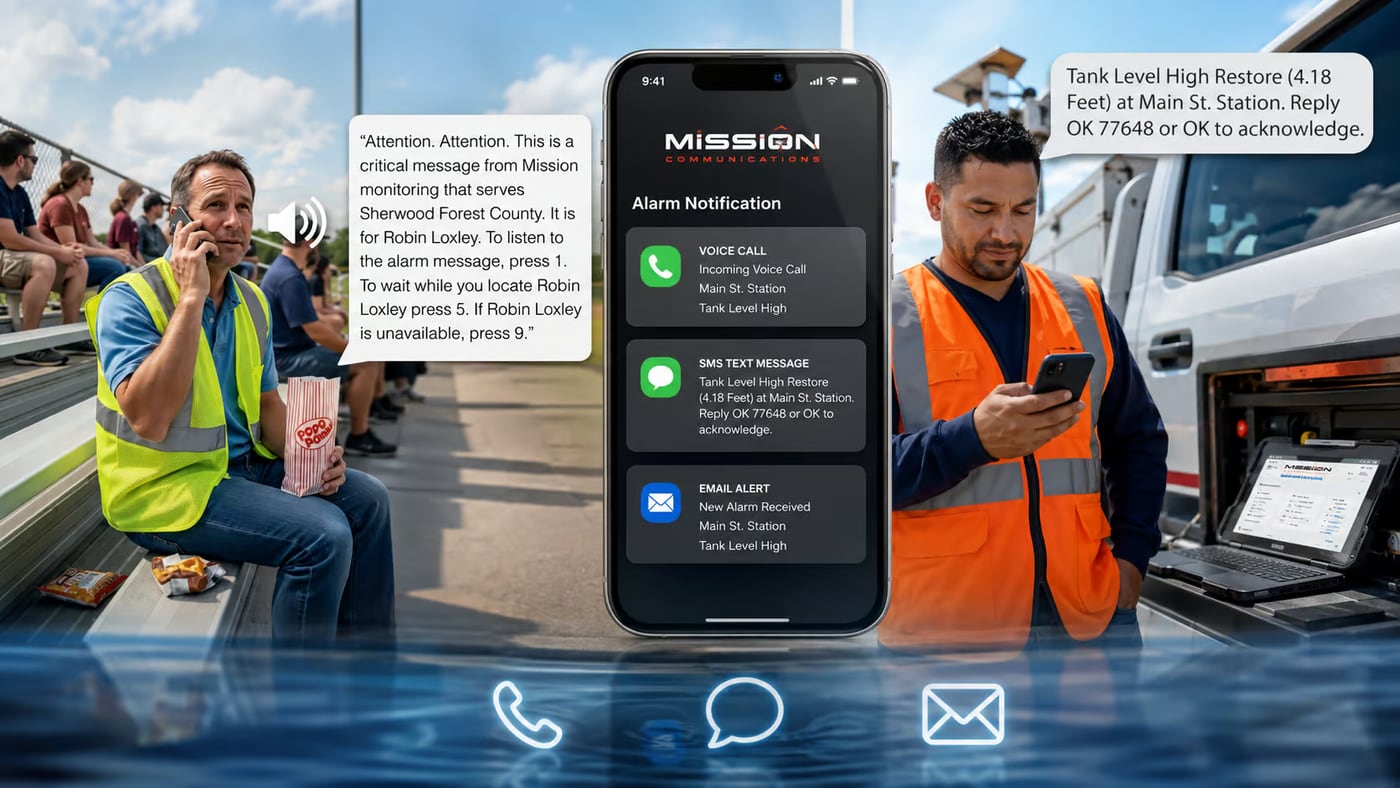
The Mission alarm reporting system has unparalleled capabilities. The system can dispatch over 40 phone calls per minute and scales as the installed base increases. Key alarm features include:
- Multi-channel alarm delivery: phone call, text message, email, fax, web portal, and pager notifications at no additional toll charges
- Sophisticated call-out destination and schedule options with unique day, night, and weekend schedules configured via drag-and-drop interface
- Exclusive call recording feature with playback of alarm call-outs, eliminating questions about received alarms
- Nuisance alarm reduction features that intelligently filter repetitive alerts to minimize alarm fatigue
- Alarms acknowledged via all methods (except fax and pager) or with a simple toll-free number
- Complete alarm, alert, and dispatch logs with easy access to call recordings
50+ Pre-Built Reports and Data Exports
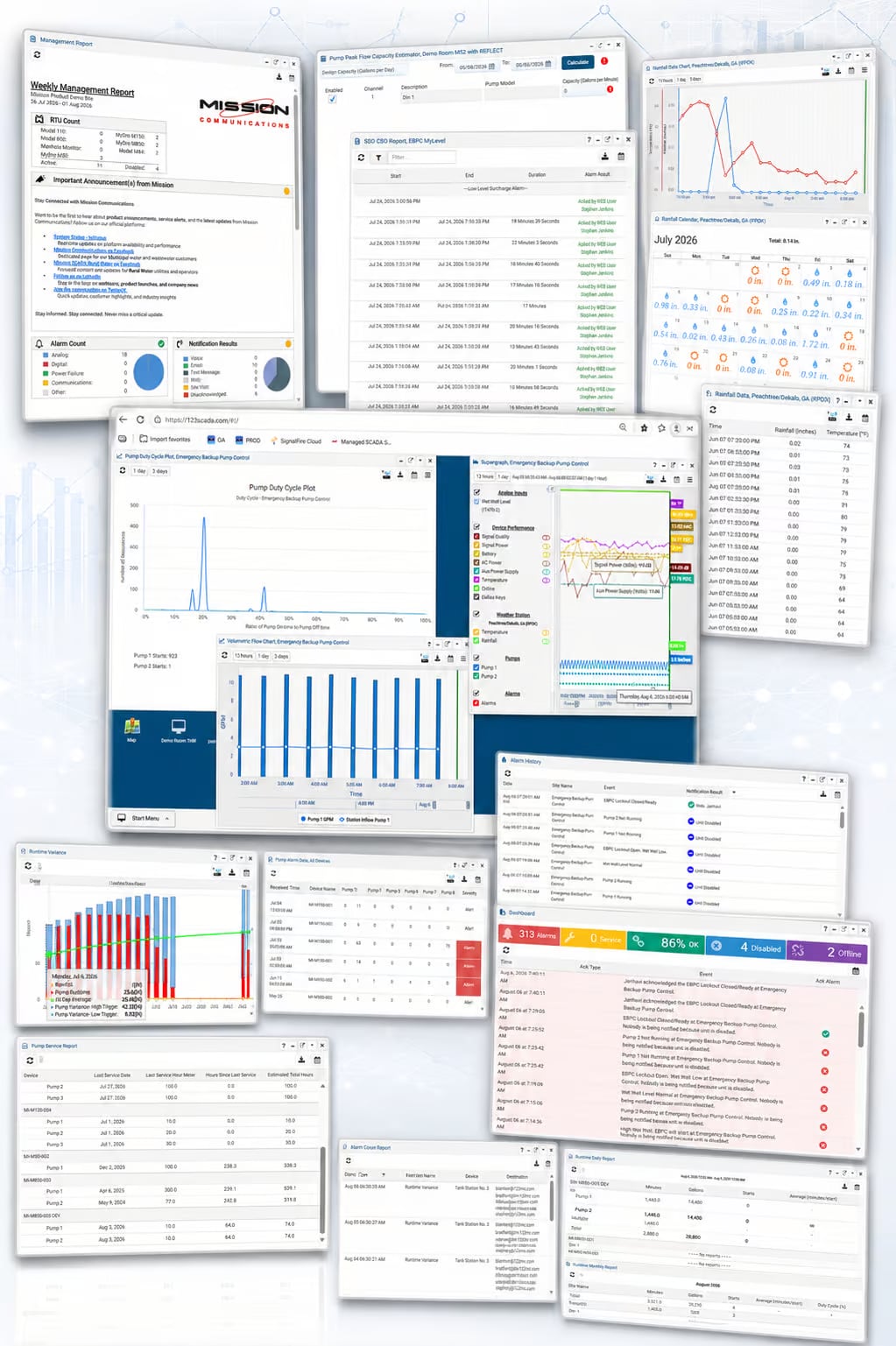
123SCADA includes a comprehensive library of over 50 ready-made reports optimized for the sensors and features of each RTU. Reports are available immediately through the web portal and can be downloaded to spreadsheets for further analysis. Key report categories include:
- Pump information: runtime, starts, alarms, daily, monthly, and variance (tables and graphs)
- Analog data: trending graphs, comparative analysis, and threshold monitoring
- Digital data: state changes, event logs, and duration tracking
- Flow data: totalized flow, multi-day comparisons, volumetric calculations
- Rainfall: tabular data, graphs, and integration with pump runtime reports
- Specialty reports: SSO/CSO compliance, Safe Drinking Water Act (SDWA), chlorine monitoring
- Engineering reports: capacity estimator, volumetric flow calculations
- Management reports: weekly system performance, disabled inputs, site access logs
- Unit health: check-in history, cellular connection history, voltage reports, solar data
Remote Commands and Control
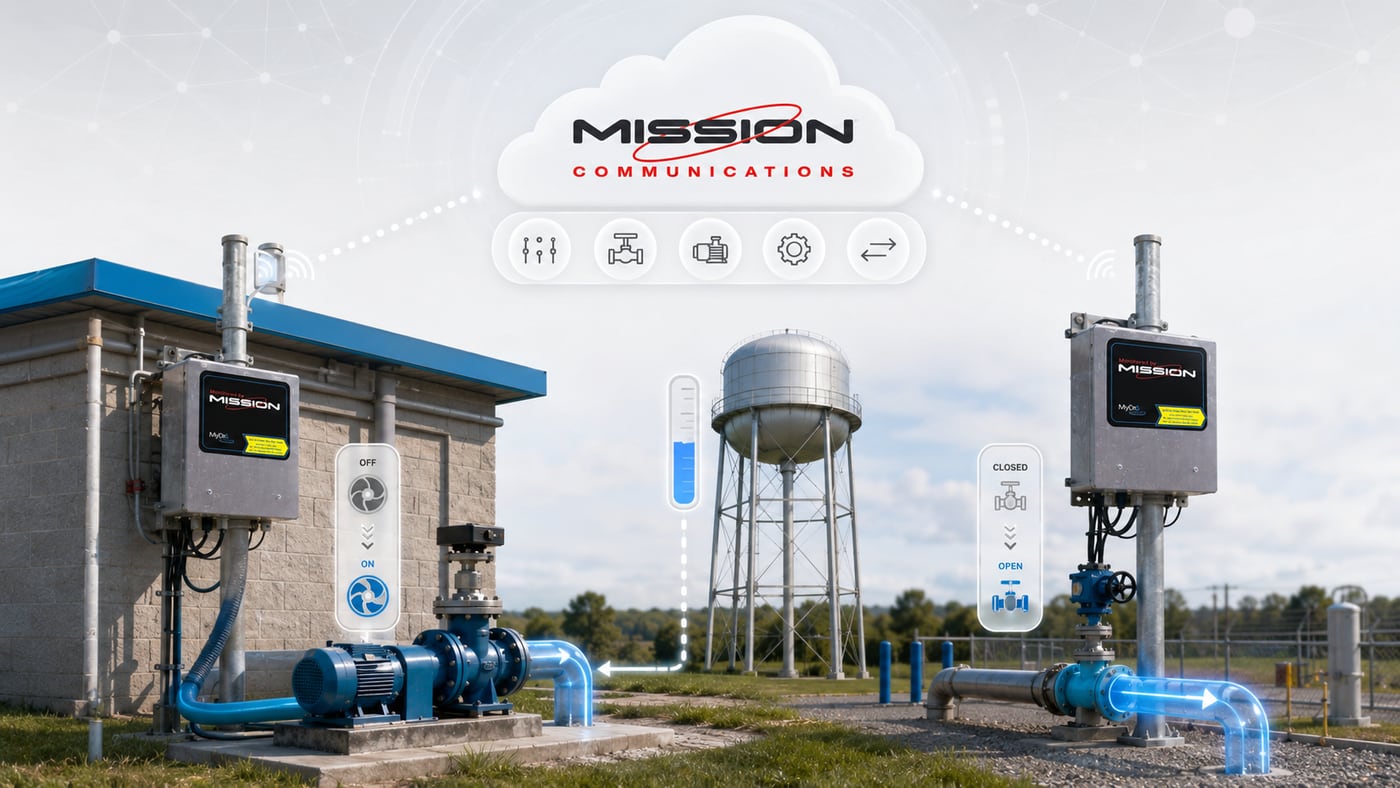
MyDro 150 and MyDro 850 RTUs feature three output relays that can be controlled directly from the web portal with the required access level. Use these to manually command pumps or open and close valves from any location. MyDro 850 units support automated control via Digital Interconnect, where a change at one digital input triggers a relay change at another location.
The optional Tank and Well solution enables automatic relay control based on remote analog values, with real-time analog output mirroring available between locations.
Unlimited Users and Access Levels
There is no limit to the number of users who can access the 123SCADA platform. Mission provides five distinct access levels to help organizations maintain security while enabling appropriate access across teams:
Public
View-only access for non-sensitive overview data
Read-Only
View all data, reports, and alarms without control capability
Operator
Data viewing plus the ability to control outputs and acknowledge alarms
Administrator
Full operational control plus user management and configuration
Superadmin
Complete system access with the ability to enforce organization-wide security policies including mandatory 2FA
Continuous Enhancements at No Extra Cost
Unlike traditional SCADA software that requires local installation and manual updates, the 123SCADA platform is continuously maintained and enhanced at Mission’s central servers. New features, improvements, and security updates are delivered automatically over the web at no additional cost.
Each year Mission develops new capabilities focused on the water and wastewater industries, ensuring that an investment in the Mission system grows in value over time.
More About 123SCADA
123SCADA Platform
Dashboards, alarms, reports, mobile app, security, and OPC-UA integration — the cloud platform included with every Mission RTU.
Platform overviewMobile App
The full web portal on a phone or tablet, plus QR-code RTU configuration, geolocation, camera-to-support, and push alarms.
Explore Mobile AppReporting
Pump performance, analog and digital data, flow, compliance, engineering, and management reports, exported or scheduled to your inbox.
Explore ReportingSecurity
Encrypted private cellular networks, a carrier-grade data center, 2FA, five levels of role-based access, and full activity logging.
Explore SecurityFrequently Asked Questions
Which SCADA platform features matter most for operators?
Features that matter most often include alarms, dashboards, remote access, reporting, and visibility into field devices. These are the tools operators use most often to understand conditions and respond to issues quickly.
How do dashboards improve monitoring and control?
Dashboards present live system information in a way that is easier to read and act on. Instead of searching across multiple tools or reports, users can see key conditions in one place.
Why are reporting and analytics important in SCADA platforms?
Reporting and analytics help teams move beyond alarms and understand patterns over time. That makes it easier to identify recurring issues, review performance, and support operational planning.
Get Started with 123SCADA
Join 6,100+ utilities that trust Mission Communications for managed SCADA. Request a personalized demo and see 123SCADA in action — with your data, your sites, and your specific monitoring needs.